Webhooks
Send automated notifications to external apps when SMS events occur.
Webhooks enable automatic communication between WP SMS and external applications when specific events occur.
TIP
Navigate to SMS → Settings → Advanced → Webhooks Configuration to set up webhooks.
What Are Webhooks?
Webhooks are automated messages sent from WP SMS to other applications when something happens. For example:
- Notify Slack when a new subscriber joins
- Update a CRM when SMS is sent
- Trigger automation in Zapier or Make
Available Triggers
| Trigger | Description |
|---|---|
| New SMS is being sent | Fires when an SMS message is dispatched |
| New subscriber | Fires when a new subscriber is added |
Configuration
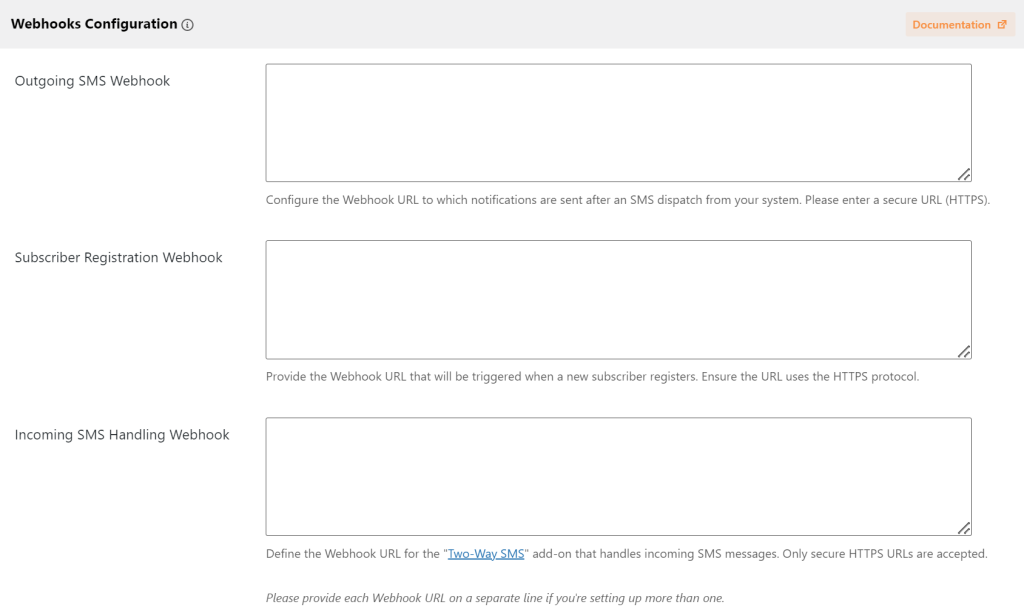
- Go to SMS → Settings → Advanced
- Find Webhooks Configuration section
- Enter your webhook URL for each trigger:
- Outgoing SMS Webhook - Receives data when SMS is sent
- Subscriber Registration Webhook - Receives data when subscriber joins
- Save changes
Getting Webhook URLs
Webhook URLs come from the receiving application:
- Zapier: Create a Zap with “Webhooks by Zapier” trigger
- Make: Create a scenario with “Webhooks” module
- Slack: Create an Incoming Webhook in Slack settings
- Custom: Use your own endpoint URL
Related
- Zapier Integration - Connect to 5,000+ apps
- SMS Notifications - Configure notifications
Last updated: December 28, 2025