Never Miss a Form Submission
Get instant SMS notifications when visitors submit your Elementor Pro forms
Instant Admin Notifications
Get an SMS the moment someone submits a form through Elementor Pro. Stay aware of every new inquiry, order, or message.
Automatic User Confirmations
Show visitors you value their time. Whenever they fill out a form, they get a polite SMS confirmation.
Straightforward Setup
No coding or tech skills needed. Install, activate, and customize right from your WordPress dashboard in minutes.
Customizable Text Messages
Make your SMS notifications unique by adding names, special offers, or specific details from form fields.
Multiple Recipient Support
Assign different phone numbers for different forms or departments.
Real-Time Updates
Receive and send notifications immediately, allowing faster follow-up and better user satisfaction.
Time-Saving
Quickly see new form submissions via SMS, so you can respond faster and manage your workflow more efficiently.
Choose Your License
Select the license that fits your needs.
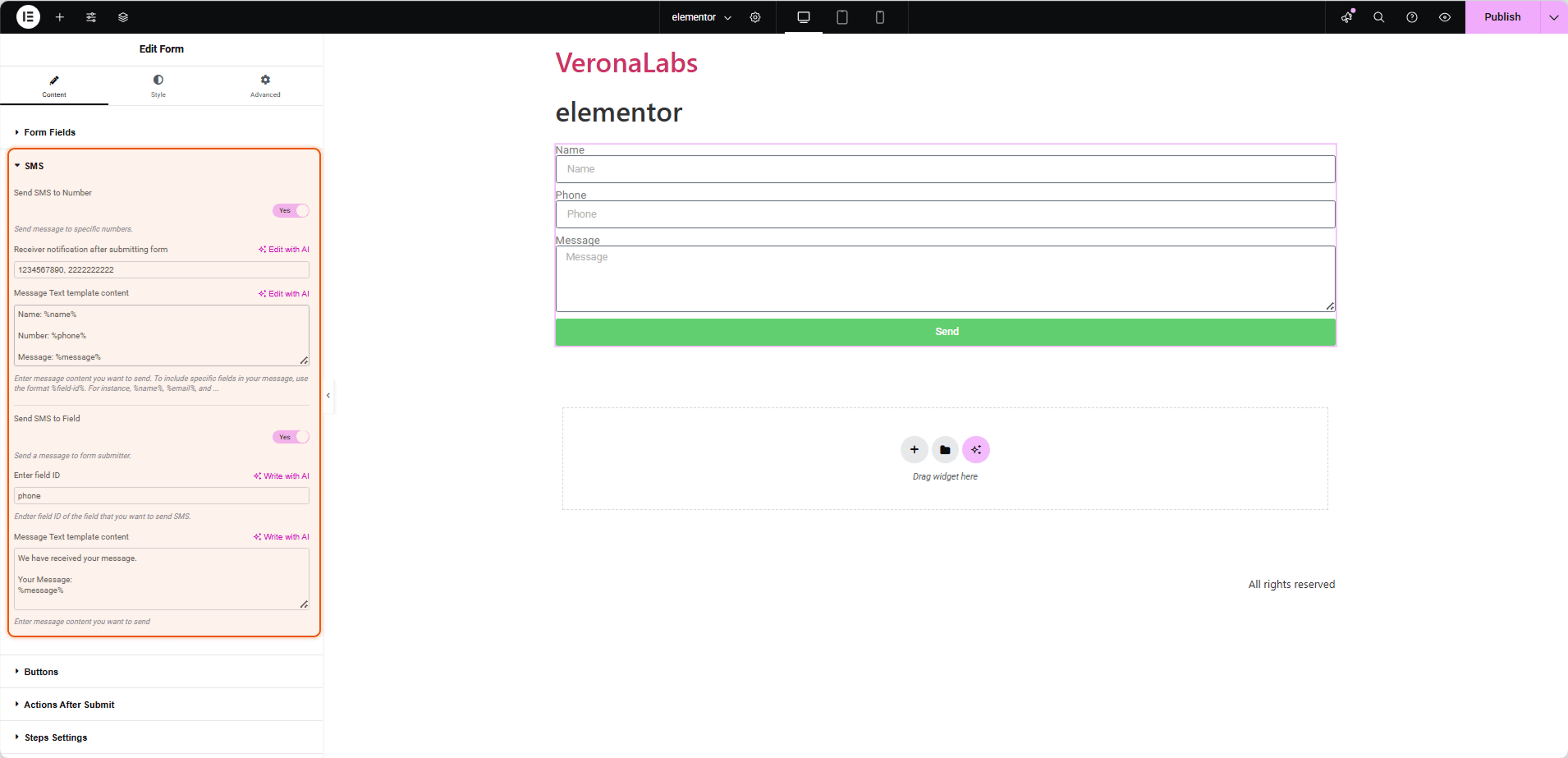
Easy SMS Configuration
Frequently Asked Questions
Find answers to common questions about WSMS Pro.
An extension that connects your Elementor Pro forms with the WSMS plugin, sending SMS alerts to admins and users whenever someone submits a form.
Yes. The add-on depends on the form functionality in Elementor Pro, so the free version of Elementor won't be enough.
Install and activate both WSMS and the Elementor add-on. Then, open your form settings in Elementor Pro to connect the form fields with the add-on's SMS options.
Absolutely. You can edit your notification content and include form data like names or custom messages.
No. Everything is managed through a simple settings panel, making setup quick and hassle-free.
Have more questions?
Contact our support team